BordertownConnect · For Bordertown clients
Your project. Your progress.
Anytime, anywhere. BordertownConnect is our private online portal for clients. Follow your renovation from estimate to final walkthrough: progress, photos, documents, decisions and messages, all in one place.
See where your project stands.
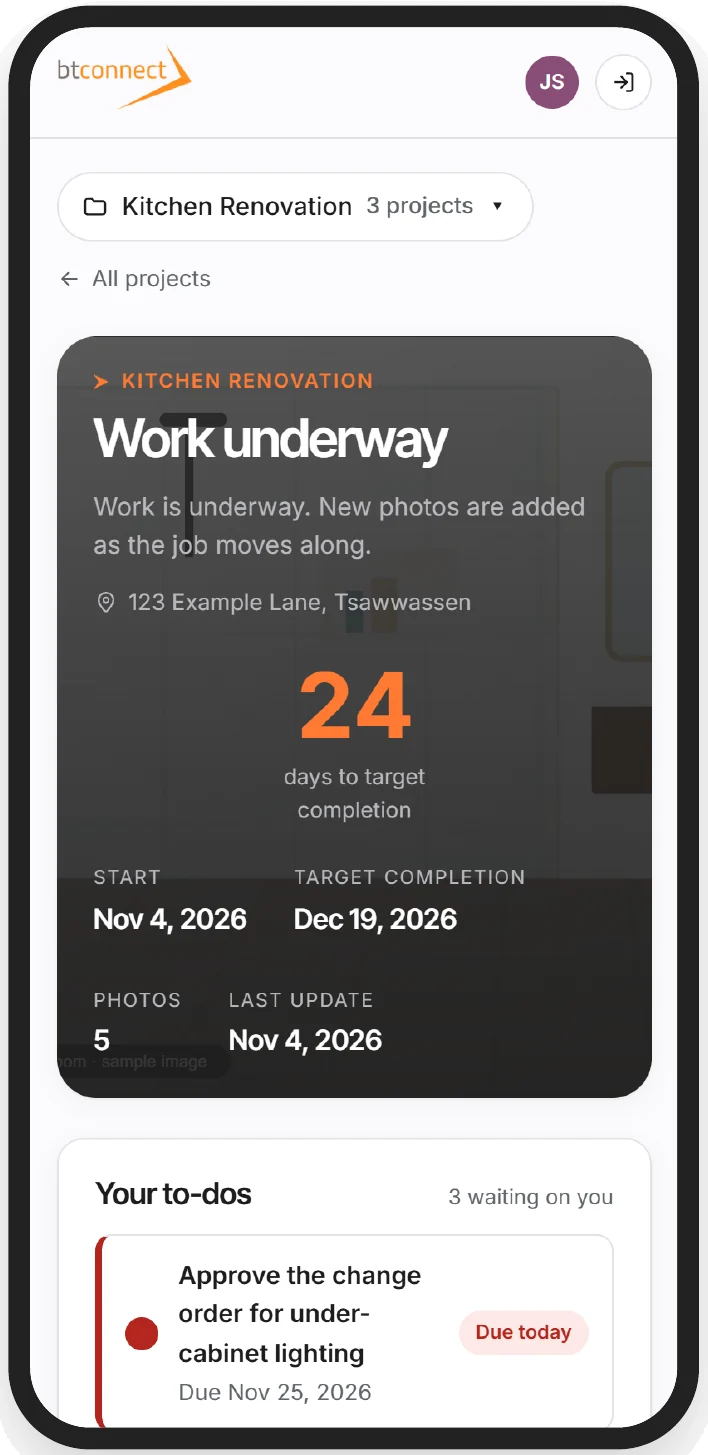
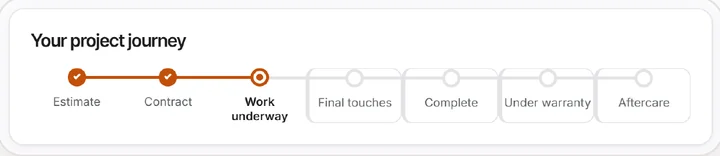
Your project page shows the stage you’re at in large type, with a short note on what’s happening now. Before work begins it counts the days until we start; once work is underway it counts down to target completion. Your project journey tracks every stage, from estimate to aftercare, and for many projects your Project Manager shares a week-by-week or day-by-day schedule.
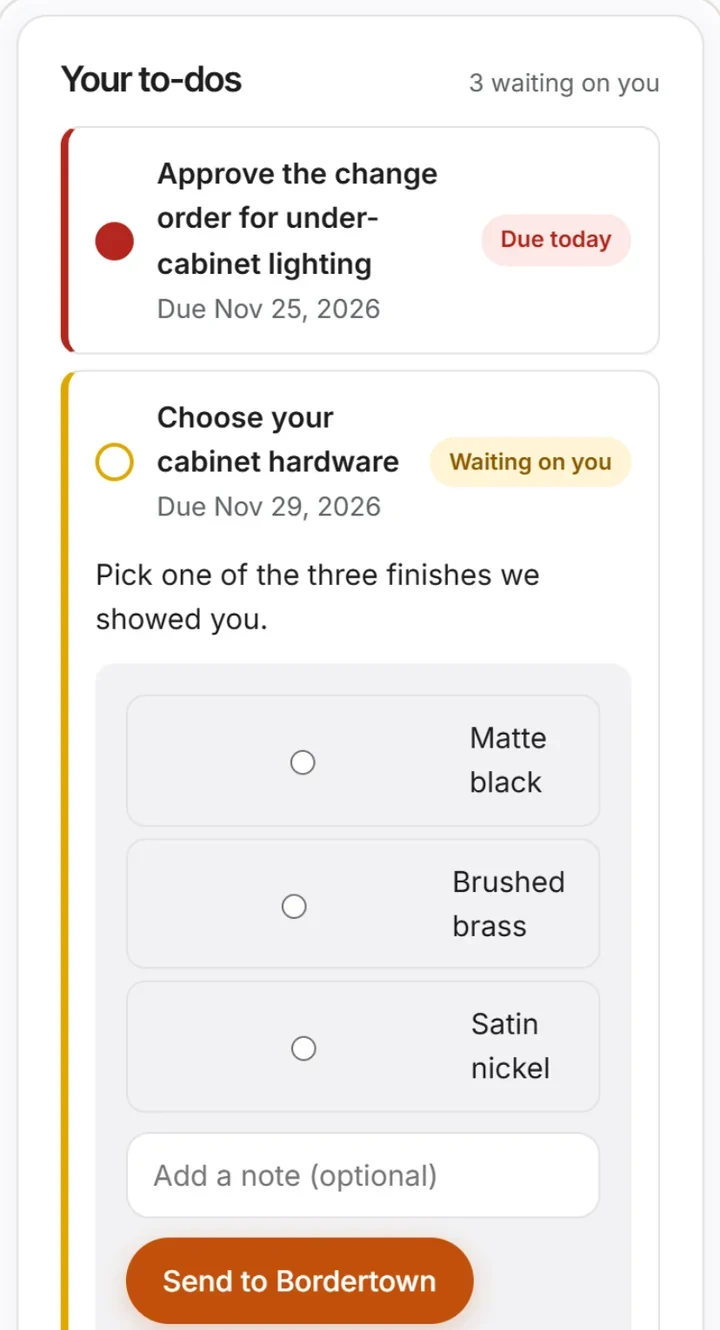
Decisions, in writing.
When we need something from you, such as a finish choice, a change-order approval, an answer or a photo, it appears in Your to-dos. Pick an option, approve or decline, or upload a file, and add a comment if you have a question. You get an email when new items are added and a reminder before they’re due. Every answer is kept in your Decision Record, which you can print or save as a PDF.
Watch it come together.
Your crew adds photos as the work moves along, grouped by phase so you can follow the job from start to finish. Once there are before and after photos of a room, drag the slider to compare the two.
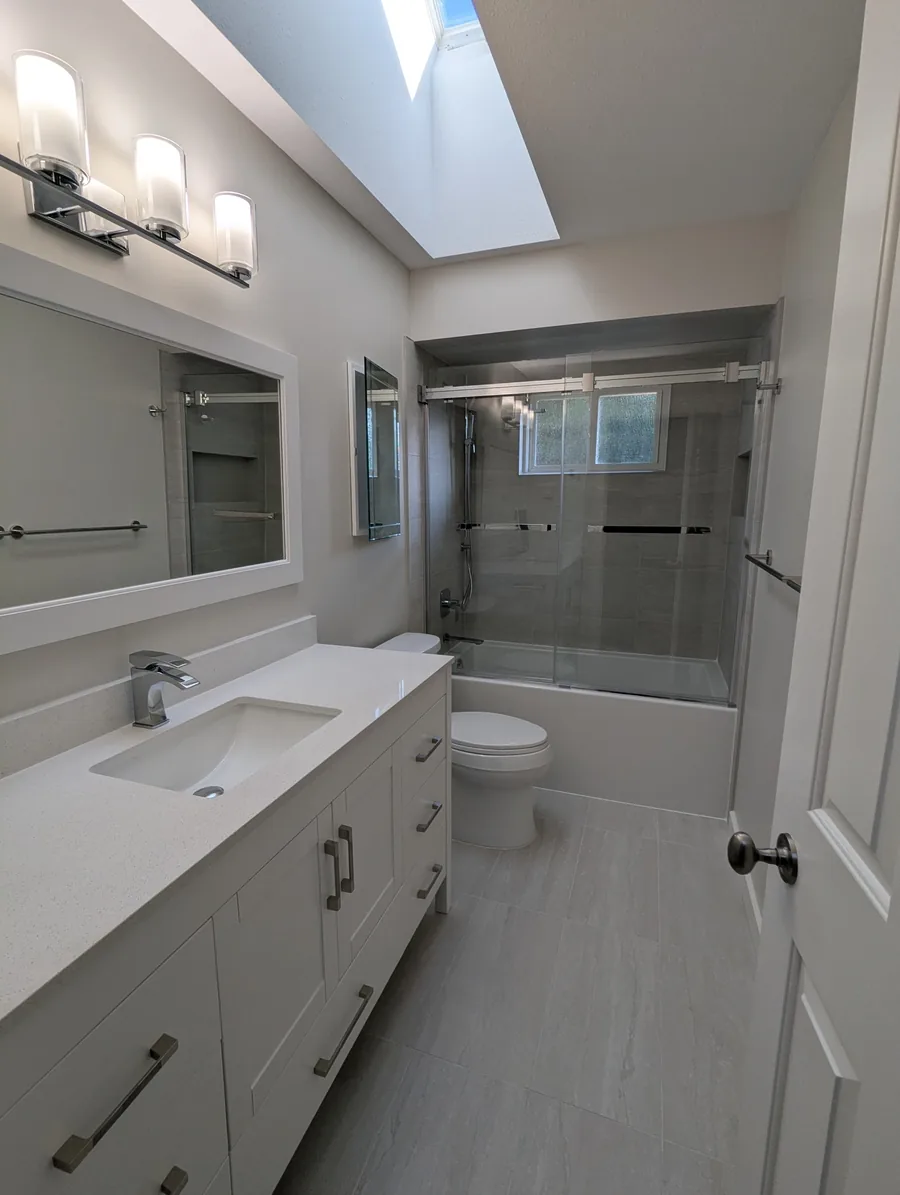
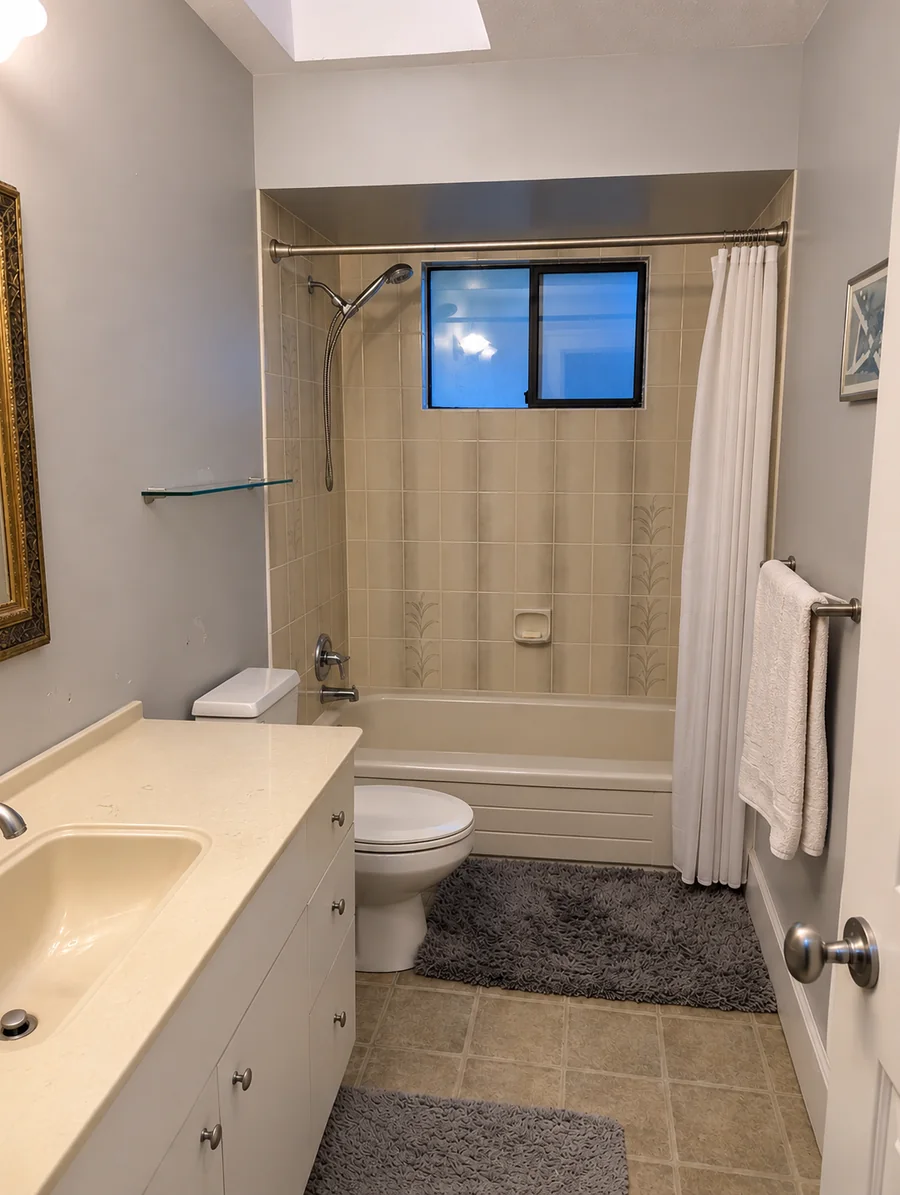 BeforeAfter
Every document in one place.
Your contract, drawings, permits and other papers open right in the portal, on any device. When a document is ready to keep, a Download button appears, and your Project Manager can send you a copy of anything else.
Documents
Your Project Manager, one tap away.
Call or text your Project Manager from your phone, or send a message by topic, such as scheduling, a change request or selections. Messages go straight to their email and we reply within 24 hours. For anything urgent, like a leak or a safety concern, just call.
Long after the last nail.
When your project is complete it moves to Under Warranty. Your photos and documents stay in the portal, and you can still reach us with a warranty or service request. When the warranty period ends, our Aftercare Promise continues, and your contract, drawings, photos and Decision Record remain a handy record for future maintenance or when you sell your home.
Screens shown use a made-up sample client and sample projects.
How access works.
You’re invited
When your estimate is ready, we email you an invitation with the subject “Your Bordertown Renovations project portal is ready”.
Sign in with a code
No password to remember. Enter your email and we send you a one-time sign-in code.
Add it to your home screen
Nothing to download from an app store. It works in your web browser on iPhone, Android or a computer, and can be added to your home screen like an app.
Share it with your household
Everyone in your household can have their own invitation with their own email address, and you all see the same projects.
Your privacy. Only you and the people in your household who were invited can see your projects. We record when you sign in and open documents, photos and to-dos, so your Project Manager knows you’ve received them. Only Bordertown staff can see this, and we handle your information under BC’s Personal Information Protection Act. Privacy policy
Common questions
Can anyone sign up for BordertownConnect?
No. BordertownConnect is a private portal for Bordertown clients. We send you an invitation once your estimate is ready.
Do I need to download an app?
No. It runs in your web browser on any phone, tablet or computer. On a phone you can add it to your home screen so it opens like an app, and it updates itself.
Can my partner have access too?
Yes. Ask your Project Manager to invite them with their own email address. Everyone invited sees the same projects.
My sign-in code didn’t arrive. What should I do?
Wait a minute and check your junk or spam folder, and make sure you used the email address your invitation was sent to. Each code works once and expires after an hour, so use the newest one. Still stuck? Call us at 604.928.0650.
Who will I work with?
Your own experienced Project Manager from your first visit through completion and aftercare. They coordinate the project and are on site throughout, backed by our experienced trades and administrative team.
Want this for your project?
Every Bordertown project comes with BordertownConnect. Start with a free in-home consultation.